Retail Object Detection with Roboflow Computer Vision
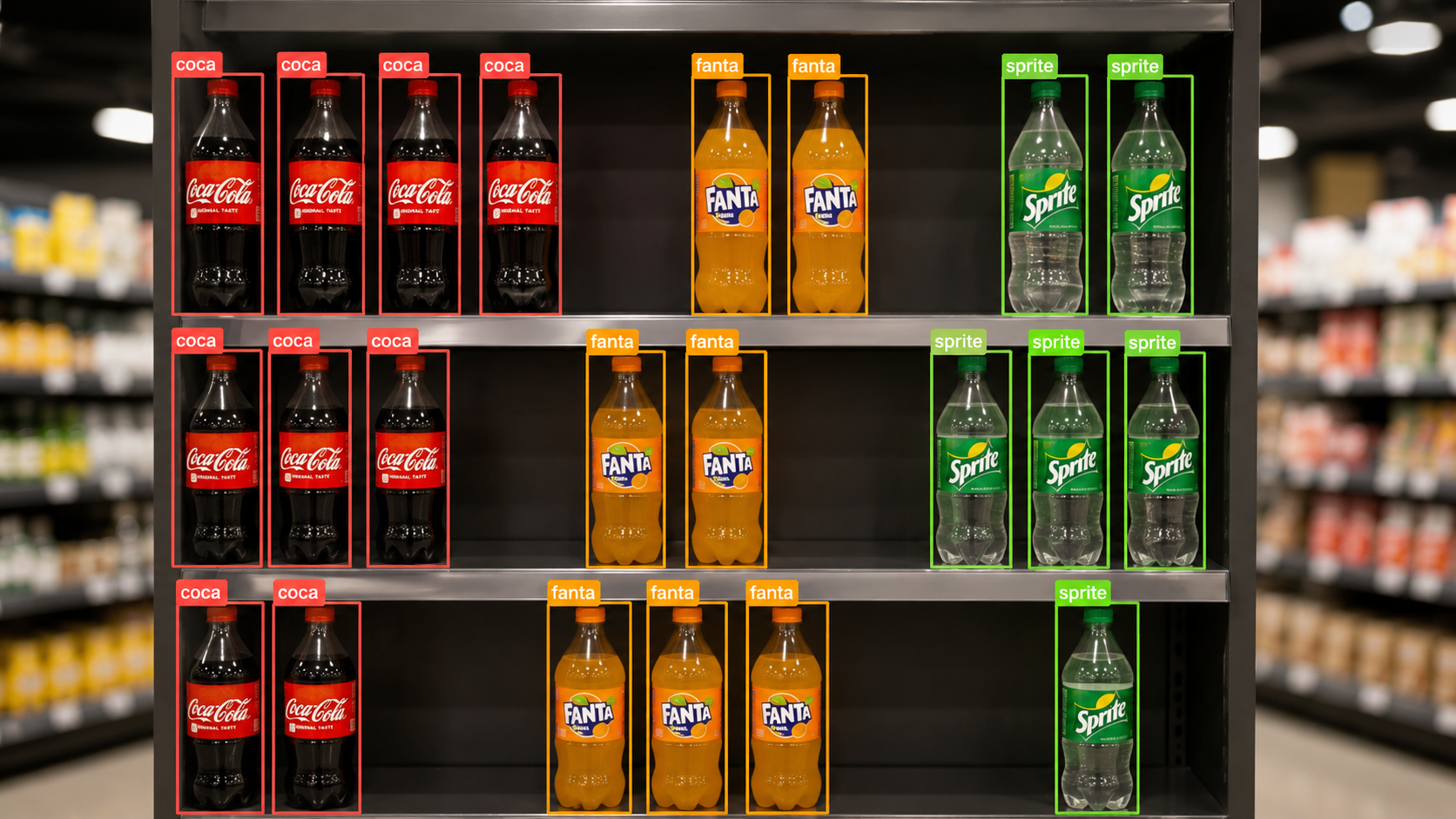
This guide builds an automated beverage shelf-monitoring system in Roboflow Workflows: an RF-DETR model detects and counts Coca-Cola, Fanta, and Sprite bottles at the shelf front, a Custom Python block compares those counts to configurable targets and ranks products by replenishment priority, and Gemini 2.5 Pro writes a short inspection summary. The output is a single annotated image with detections, a shelf summary, and the highest-priority restock action, so staff know which shelf to fix first instead of walking every aisle.
Retail shelves change throughout the day as customers remove products, employees replenish stock, and bottles are moved between positions. Around 70% of retail out-of-stock events are linked to in-store execution, including delayed shelf replenishment, misplaced products, and inventory that remains in the backroom. Detecting low product presence early gives store teams a practical signal that a shelf needs attention before availability becomes a larger issue.
Most retailers still depend on employees to walk through aisles and inspect shelves manually. These checks take time and only show the shelf condition at the moment of inspection. When several products are running low, staff must also decide which shelf should be replenished first. Raw product detections alone do not provide that prioritization.
This project builds an automated beverage shelf-monitoring workflow using Roboflow workflows. An RF-DETR model detects Coca-Cola, Fanta, and Sprite bottles in shelf images, and the workflow counts the visible bottles in the monitored frame for each class. A Custom Python block compares the visible bottle counts with configurable shelf targets, calculates the shortages, and ranks products by replenishment priority. Gemini 2.5 Pro then analyzes the annotated image and generates a concise shelf inspection summary.
The system can detect and report:
- Coca-Cola, Fanta, and Sprite bottles visible at the front of the shelf
- The number of visible front-row bottles for each product class
- Products below their configured minimum-count thresholds
- A prioritized replenishment queue calculated from visible counts and camera-frame thresholds
- AI-generated shelf inspection observations for store employees
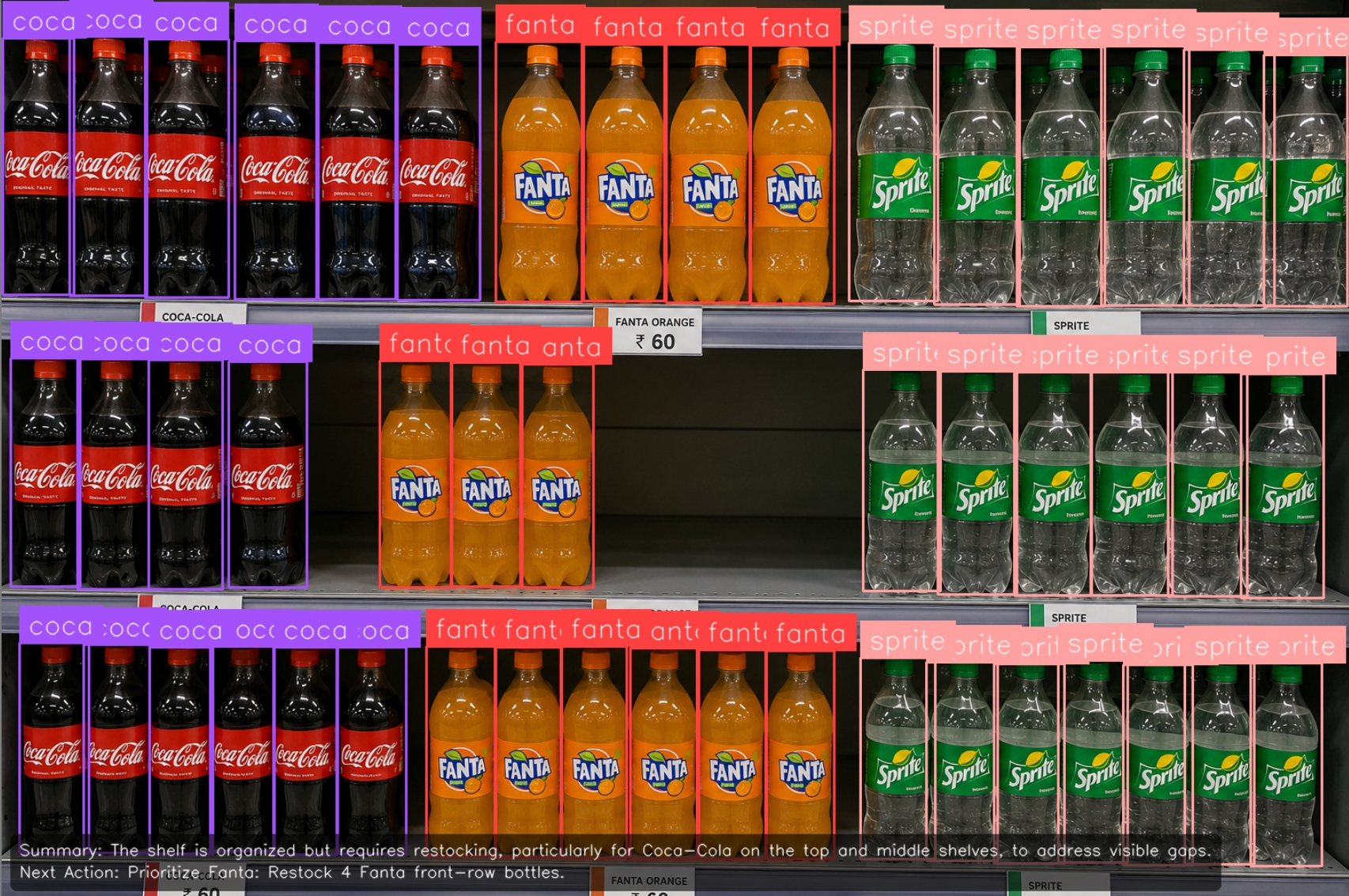
The final output is an annotated shelf image containing product detections, a Gemini-generated shelf summary, and the highest-priority replenishment action.
Retail Object Detection with Roboflow Vision AI
Step 1: Prepare the Dataset
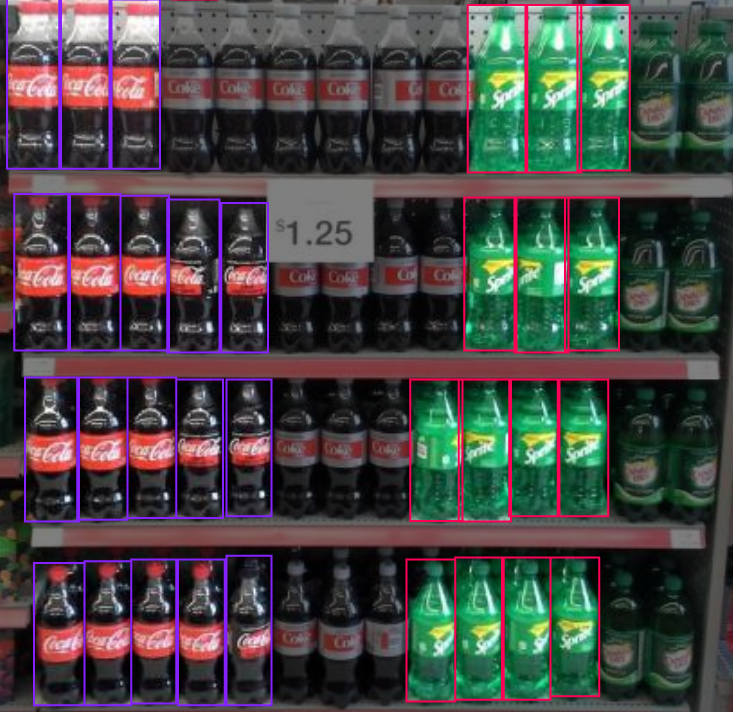
We use the Bottle on Shelves Computer Vision Model dataset from Roboflow Universe. The dataset contains shelf images with beverage bottles annotated by product class. The available classes include:
The class-specific annotations allow the model to locate and distinguish individual beverage brands in crowded shelf scenes. This is important for the workflow because a generic bottle detector could count all visible bottles together, but it could not report that Coca-Cola or Sprite has fallen below its configured shelf targets.
The dataset contains real shelf scenes with repeated bottles, reflections, partial occlusion, crowded arrangements, and different camera positions. These conditions are more suitable for shelf monitoring than isolated product photographs because they resemble the images the deployed model will receive.
Examples from the dataset:
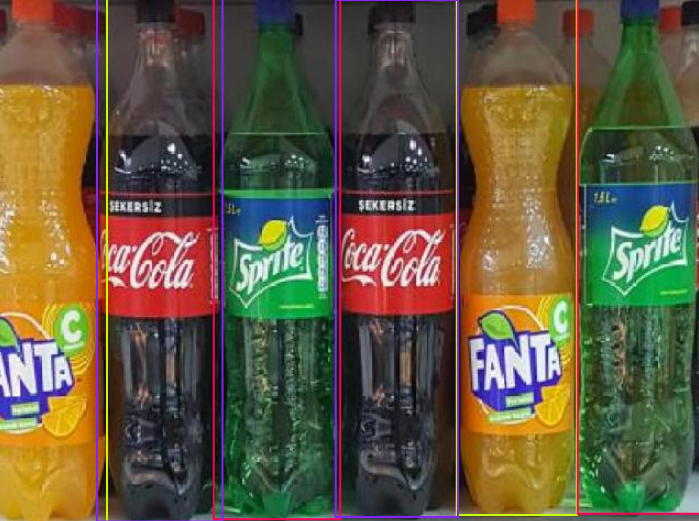
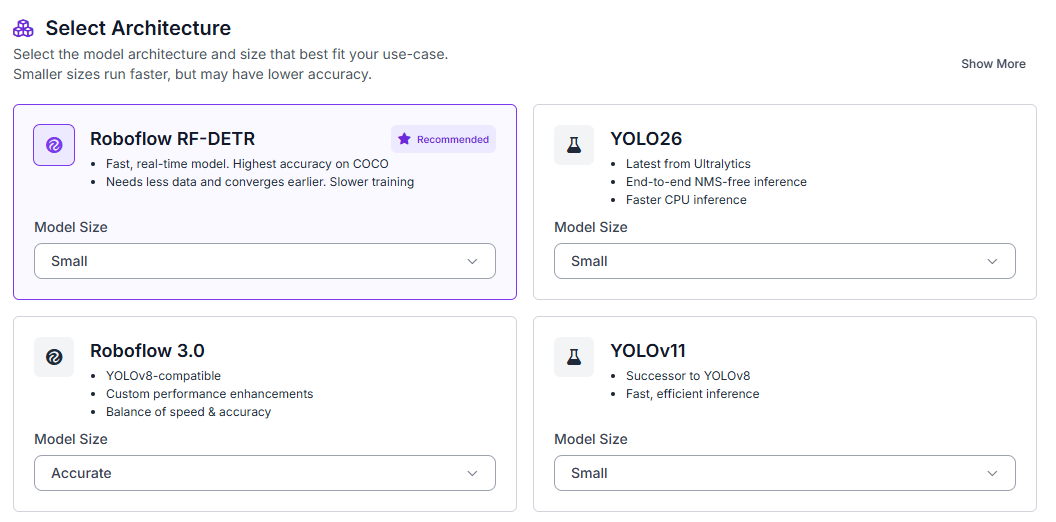
Fork the dataset into your Roboflow workspace. Open the Train tab, select Custom Training, choose RF-DETR, and set the model size to Small.
Generate a new dataset version and configure a 70/15/15 split for training, validation, and testing.
Enable:
- Auto-orientation
- Resize to 512 × 512
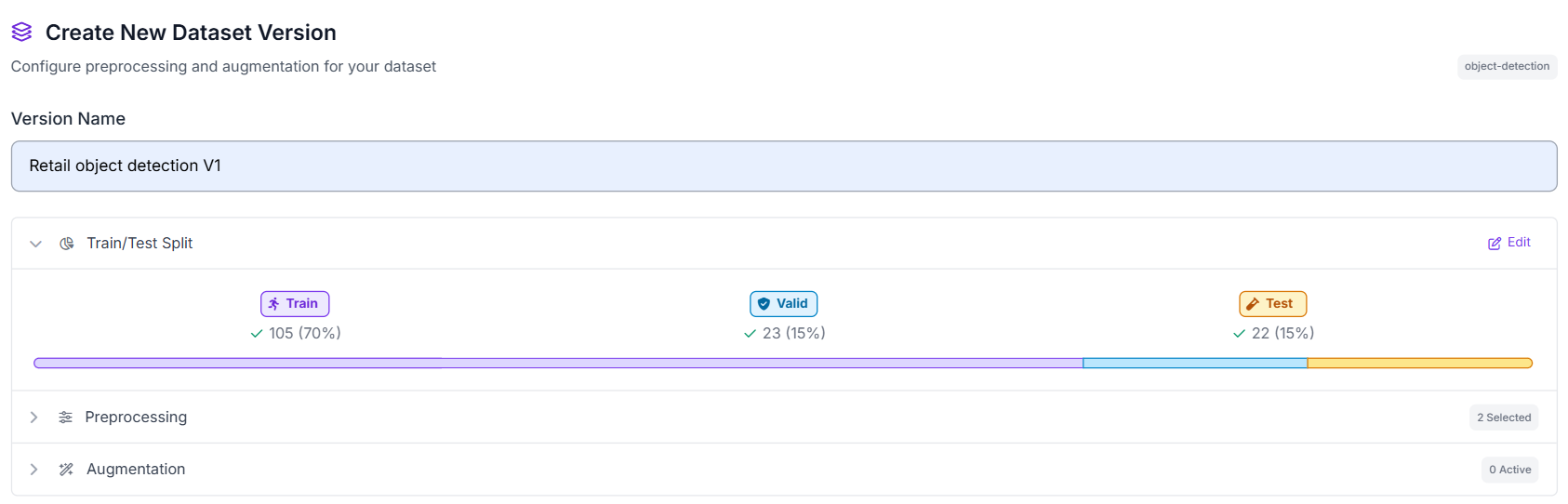
These preprocessing steps ensure that all images have a consistent orientation and resolution, providing standardized inputs for RF-DETR training.
Step 2: Train the RF-DETR Model
During training, RF-DETR learns to locate and classify each visible front-row bottle using the annotated bounding boxes. The model returns a class label and bounding box for every detected Coca-Cola, Fanta, or Sprite bottle.
This instance-level detection is required because the workflow counts detections by product class. An image-classification model could report that Sprite appears somewhere in the image, but it could not determine how many Sprite bottles are visible at the front of the shelf.
The model does not estimate the exact inventory. Bottles positioned behind the front row, in another display, or in backroom storage are outside the camera view. The workflow counts only the bottles visible from the selected camera angle, so its output should be treated as a shelf-replenishment signal rather than a total stock count.
Step 3: Evaluate Model Performance
Our RF-DETR Small model achieved strong results on the beverage shelf detection task.
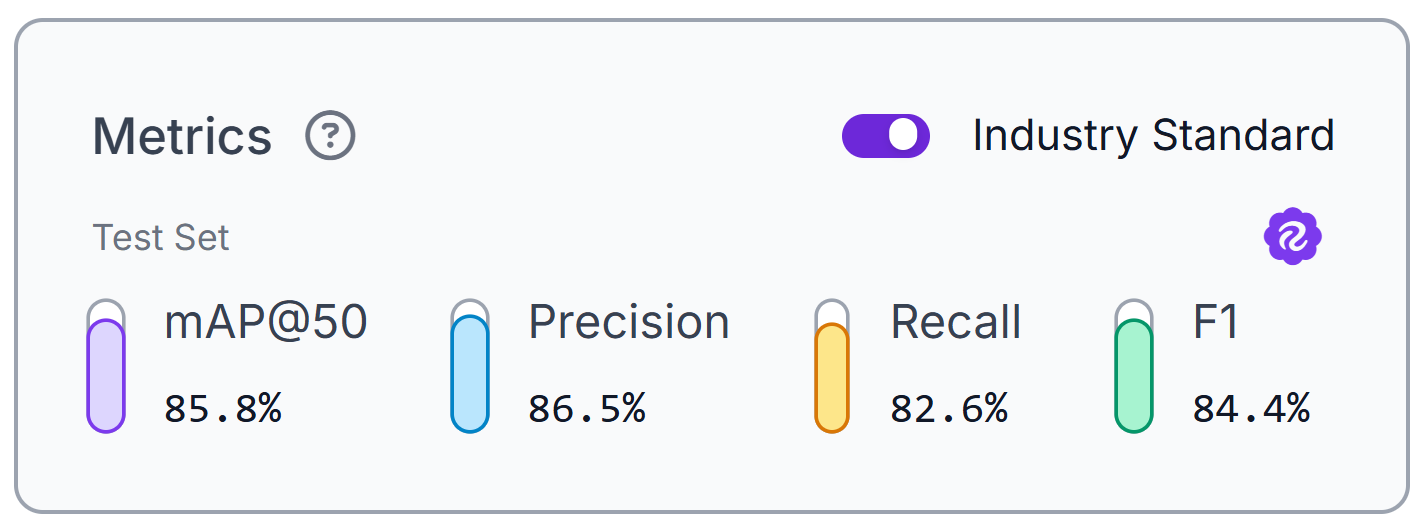
The model achieved 85.8% mAP@50, 86.5% precision, 82.6% recall, and an 84.4% F1 score on the test set. These results show that the model can detect and classify visible Coca-Cola, Fanta, and Sprite bottles with good overall consistency.
The precision score indicates that most predicted boxes correspond to real bottles, helping reduce false product counts. Recall is slightly lower, which means some visible bottles may still be missed. This is important because missed detections can make a product appear further below its shelf target than it actually is.
These metrics reflect performance on the public Bottle on Shelves dataset. Before deployment, the model should also be tested on images from the target store, where lighting, reflections, shelf layouts, camera angles, and bottle occlusion may differ.
The reported metrics evaluate only the RF-DETR detection stage. In the next section, a Custom Python block will use the detection counts and minimum thresholds to calculate the replenishment queue. Gemini 2.5 Pro will analyze the annotated image and generate the shelf inspection summary.
Step 4: Deploy to Roboflow Workflows
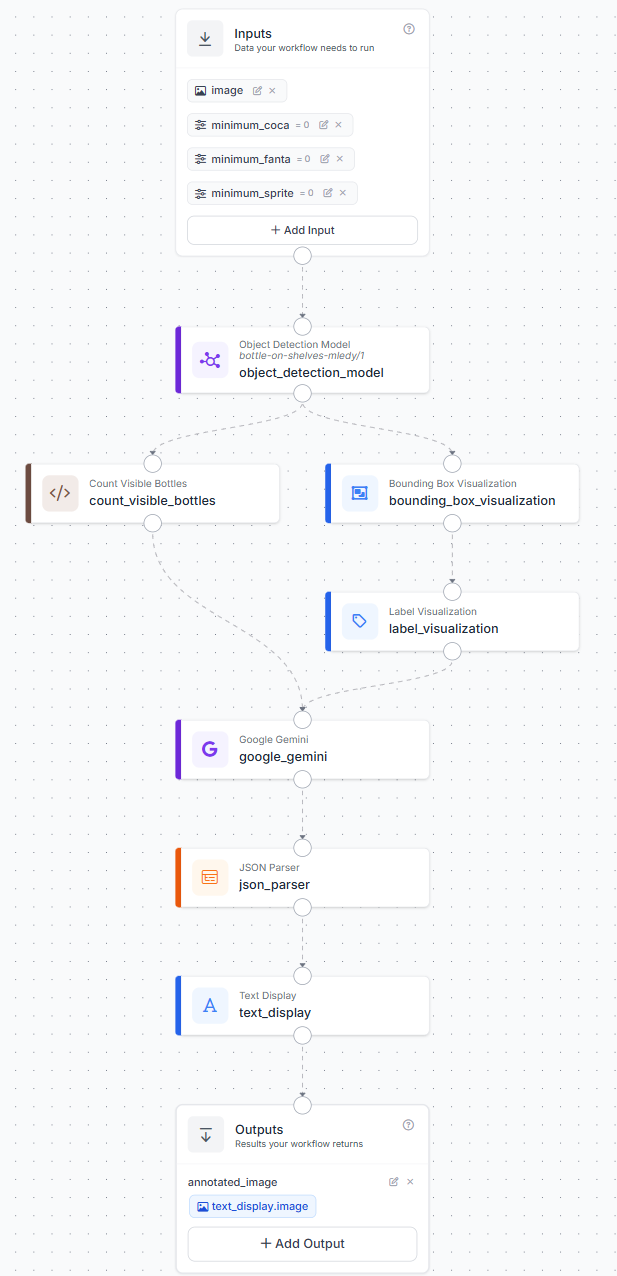
After evaluating the model, deploy it in Roboflow Workflows to build the beverage monitoring pipeline. Here’s the workflow I made. The workflow runs RF-DETR on the input image, counts detected Coca-Cola, Fanta, and Sprite bottles, compares the counts with configurable minimum thresholds, and calculates a replenishment priority. Gemini 2.5 Pro then reviews the annotated image and produces a short shelf inspection summary.
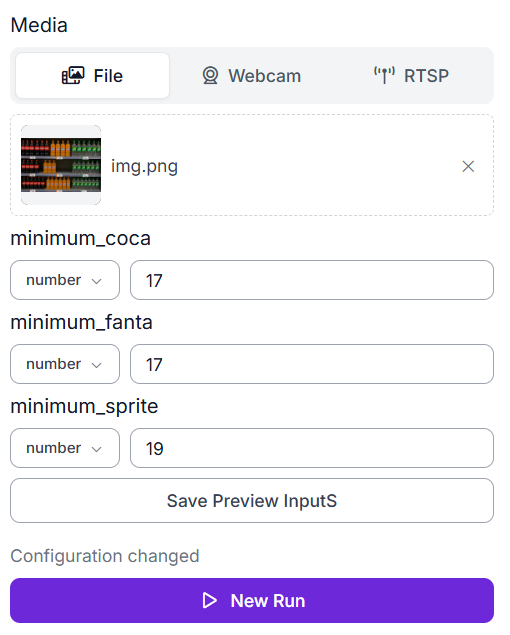
The workflow uses four inputs:
- Shelf image
- Minimum Coca-Cola count
- Minimum Fanta count
- Minimum Sprite count
These thresholds apply to the entire fixed camera frame. The system counts every supported bottle visible in the image, so the camera should remain in the same position during monitoring.
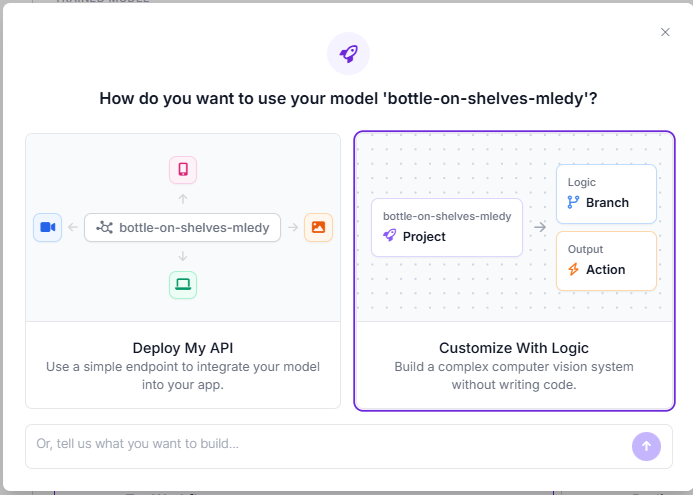
To create the workflow, open the trained model and click Deploy Model. Select Customize With Logic to open the Workflow editor with the RF-DETR model already connected.
The completed pipeline follows this structure:
Step 5: Configure the Replenishment Logic
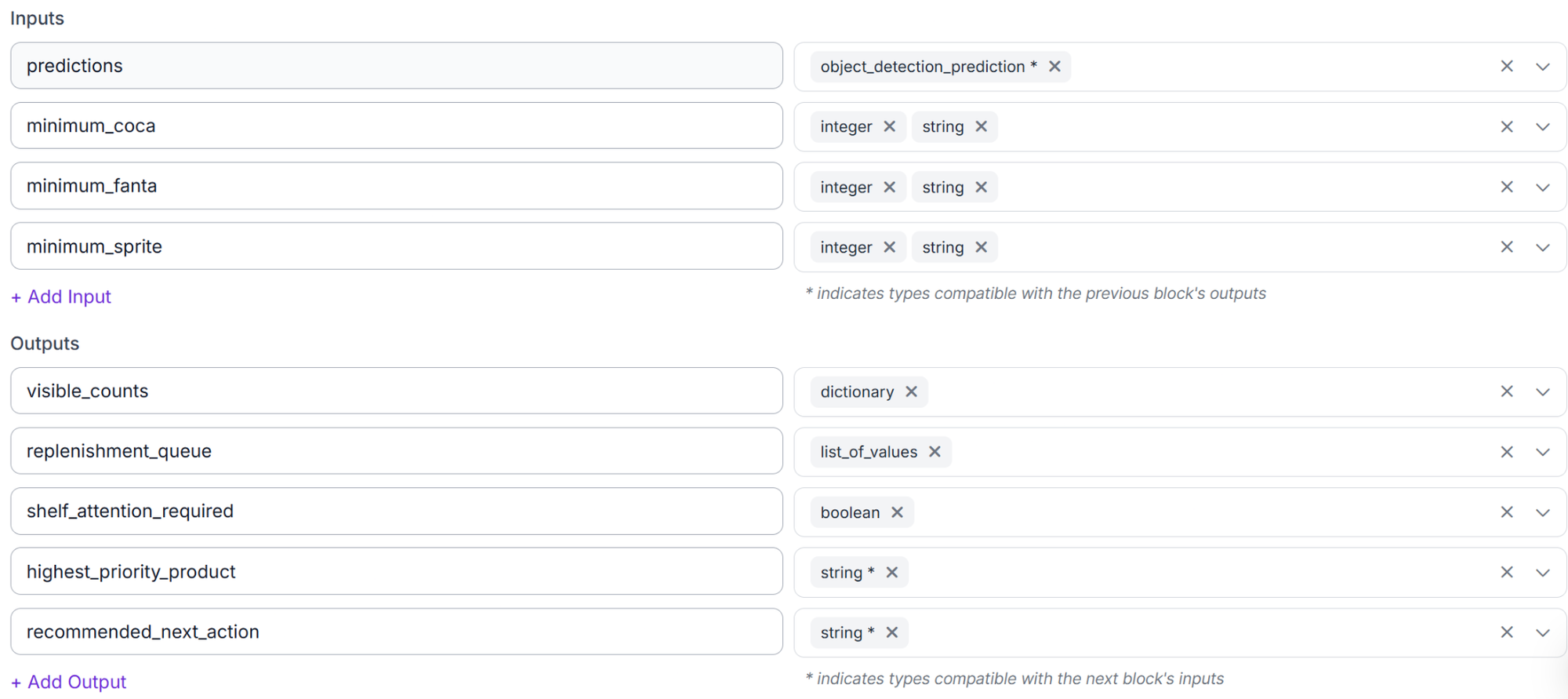
Add a Custom Python block after RF-DETR. Connect the model predictions and the three minimum-count inputs to the block.
Use the following code:
def run(self, predictions, minimum_coca, minimum_fanta, minimum_sprite):
    def n(x):
        try:
            return int(float(x or 0))
        except Exception:
            return 0

    counts = {k: 0 for k in ("coca", "fanta", "sprite")}
    for name in list(predictions.data.get("class_name", [])) if predictions is not None else []:
        k = str(name).strip().lower()
        if k in counts:
            counts[k] += 1

    targets = dict(zip(counts, map(n, (minimum_coca, minimum_fanta, minimum_sprite))))
    labels = {"coca": "Coca-Cola", "fanta": "Fanta", "sprite": "Sprite"}
    rank = {"critical": 0, "high": 1, "medium": 2}

    def priority(visible, deficit, target):
        if target > 0 and (visible == 0 or deficit >= 0.75 * target):
            return "critical"
        if target > 0 and deficit >= 0.5 * target:
            return "high"
        return "medium"

    queue = []
    for k, visible in counts.items():
        target, label = targets[k], labels[k]
        deficit = max(target - visible, 0)
        if deficit:
            p = priority(visible, deficit, target)
            queue.append({
                "product": label,
                "visible_count": visible,
                "target_count": target,
                "deficit": deficit,
                "priority": p,
                "recommended_action": f"Restock {deficit} {label} front-row bottle{'s' if deficit != 1 else ''}."
            })

    queue.sort(key=lambda x: (rank.get(x["priority"], 99), -x["deficit"]))
    top = queue[0] if queue else None
    return {
        "visible_counts": counts,
        "replenishment_queue": queue,
        "shelf_attention_required": bool(queue),
        "highest_priority_product": top["product"] if top else "",
        "recommended_next_action": f"Prioritize {top['product']}: {top['recommended_action']}" if top else "No replenishment needed; all visible front-row counts meet targets."
    }
The block counts detections by class, calculates each deficit, assigns critical, high, or medium priority, and sorts the replenishment queue. The queue remains internal because the workflow returns only the final image. Its highest-priority action is displayed on that image.
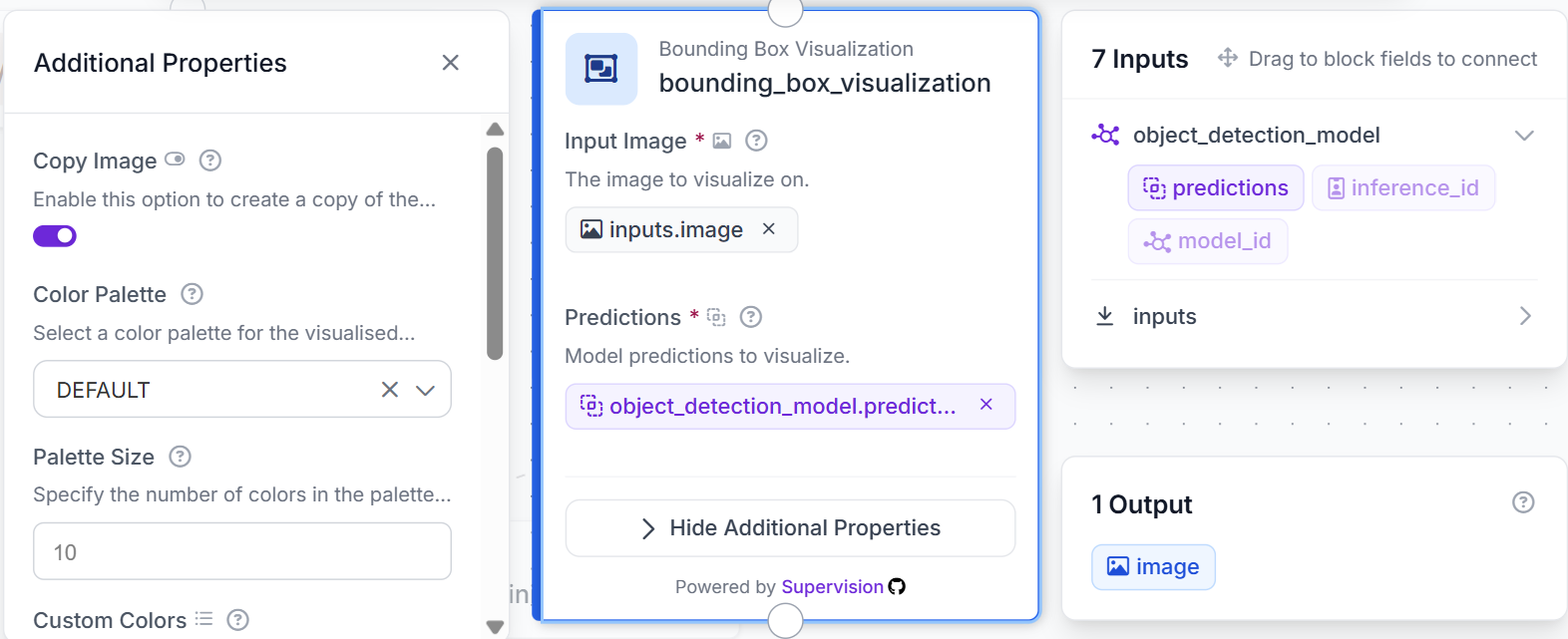
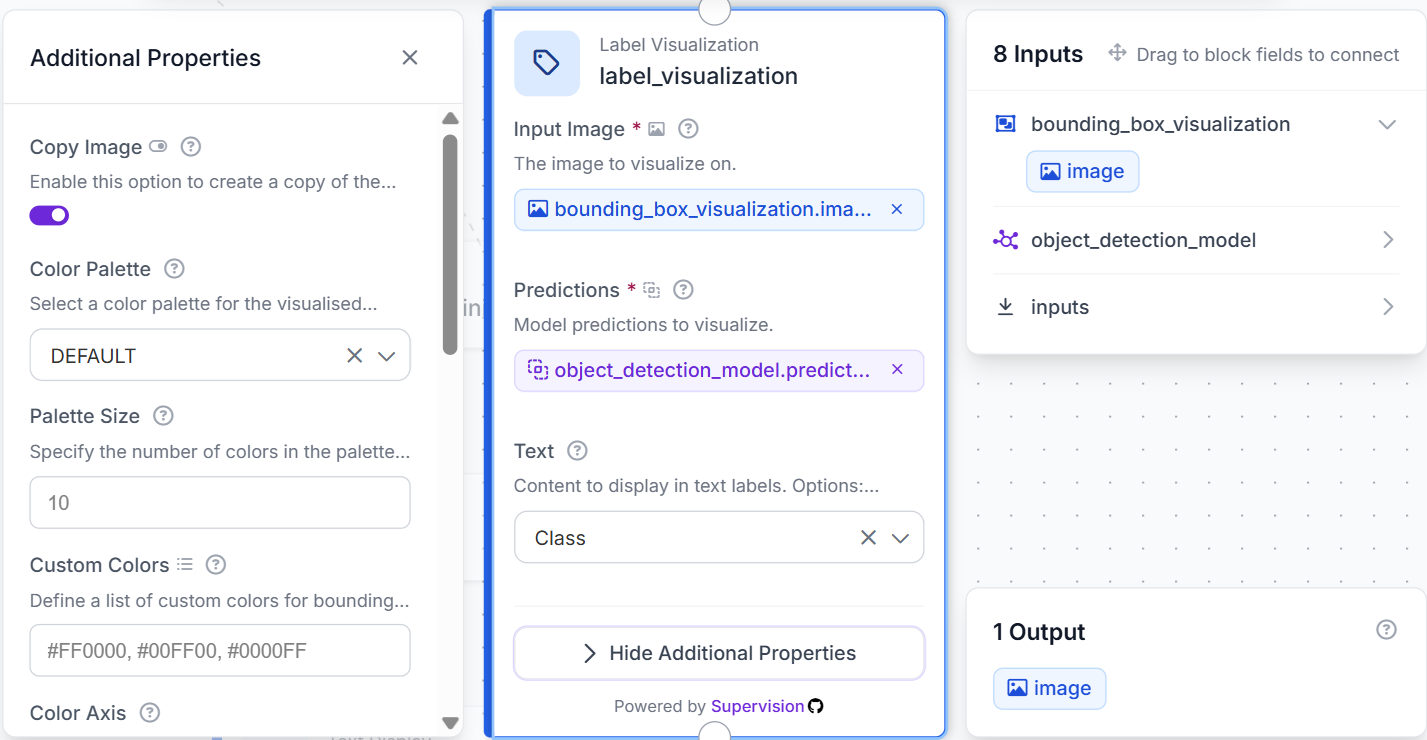
Add Bounding Box Visualization and Label Visualization blocks to draw the RF-DETR detections and product names.
Step 6: Configure Gemini 2.5 Pro
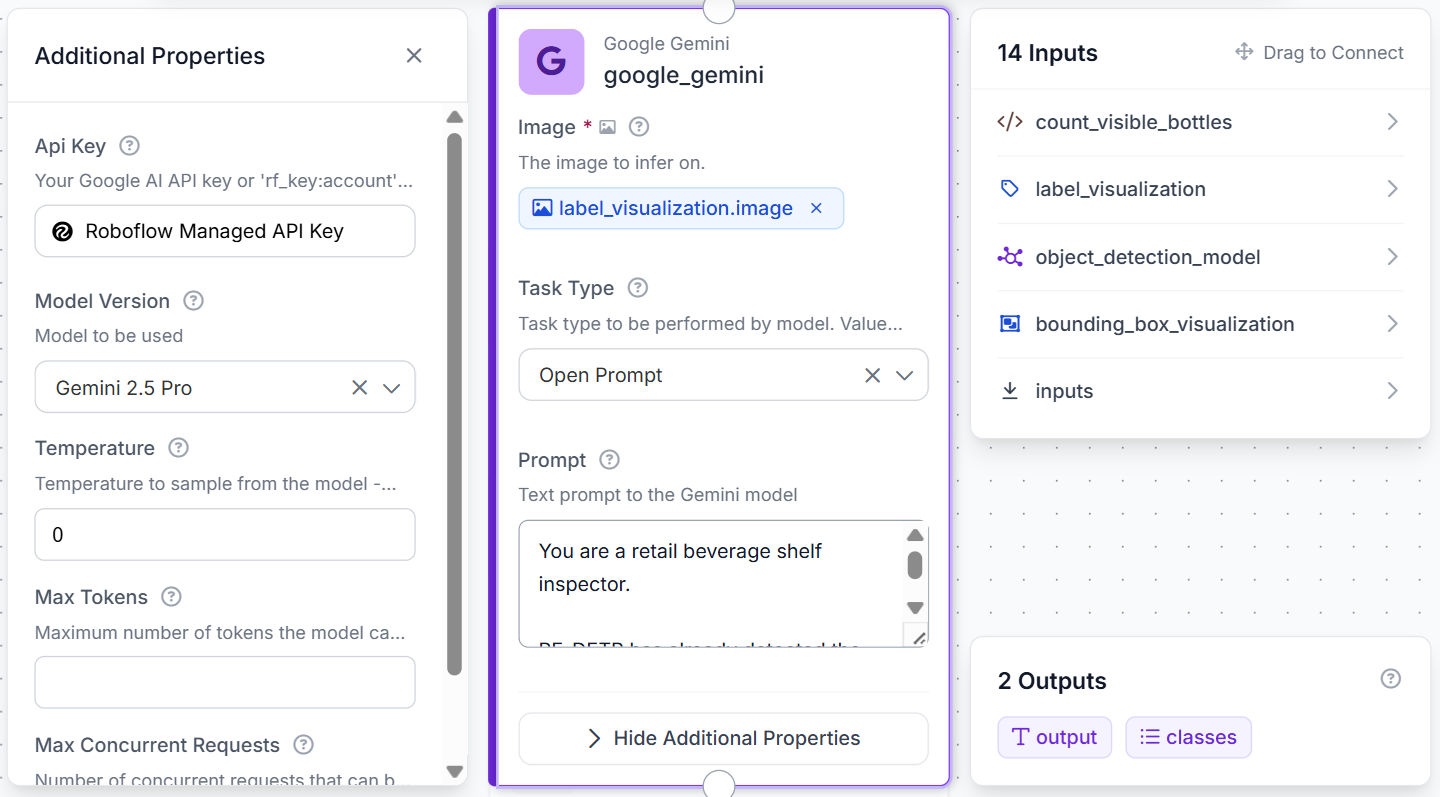
Connect the labeled image to a Google Gemini block.
Use these settings:
Image: label_visualization.image
Model: Gemini 2.5 Pro
Task Type: Open Prompt
Temperature: 0
Use this prompt:
You are a retail beverage shelf inspector.

RF-DETR has already detected the visible front-row bottles, and the workflow has already calculated replenishment needs from the detection counts and shelf targets. Do not recount bottles from the image and do not calculate inventory quantities.

Use the annotated image only to write:

1. A concise visual shelf inspection observation.
2. A concise summary of the visible shelf condition.

Do not estimate total inventory, hidden bottles, backroom stock, or secondary displays.

Return only valid JSON:

{
  "inspection_observation": "",
  "summary": ""
}
Add a JSON Parser for inspection_observation and summary.
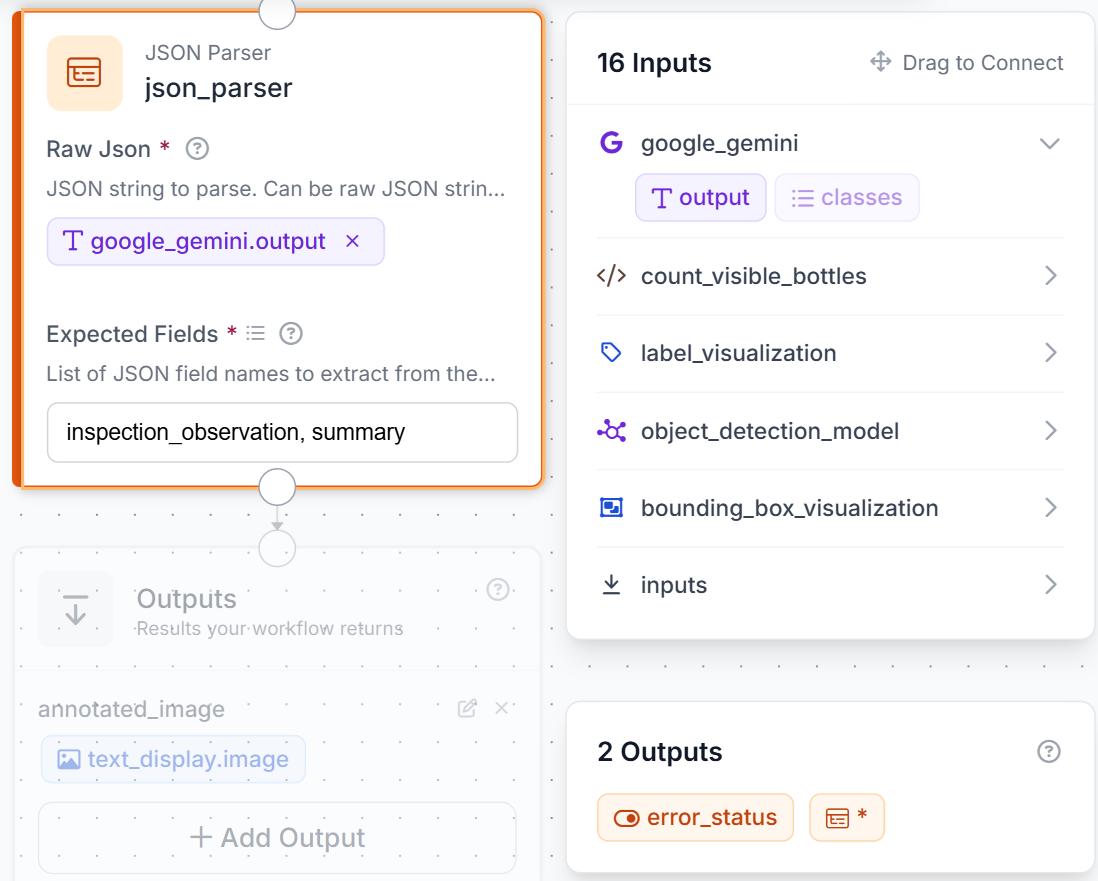
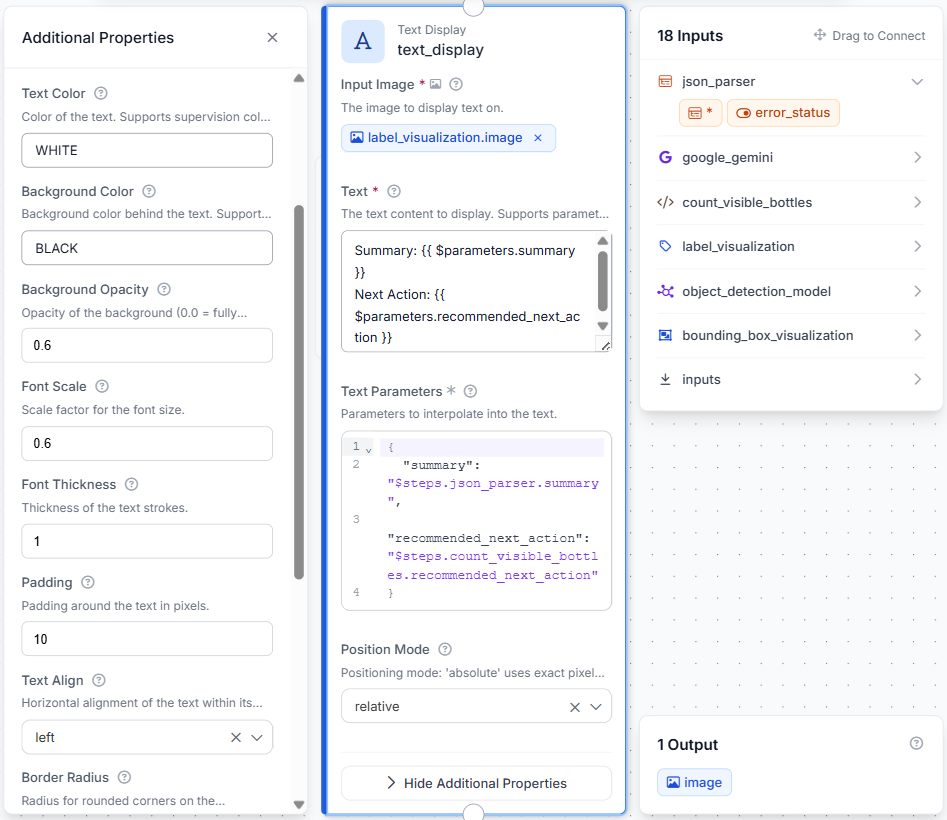
Then add a Text Display block using the labeled image as its base. Overlay the Gemini summary and the Python-generated next action in the bottom-left corner using white text on a semi-transparent black background.
The workflow returns one annotated image containing product detections, a shelf summary, and the recommended replenishment action.
Step 7: Test the Workflow
Click Run, upload a beverage shelf image, and enter minimum counts that match the fixed camera frame.
The final image should contain:
- Coca-Cola, Fanta, and Sprite detections
- Product labels
- Gemini’s shelf summary
- The highest-priority replenishment action
Test fully stocked, moderately depleted, and heavily depleted frames.
Extending the Workflow
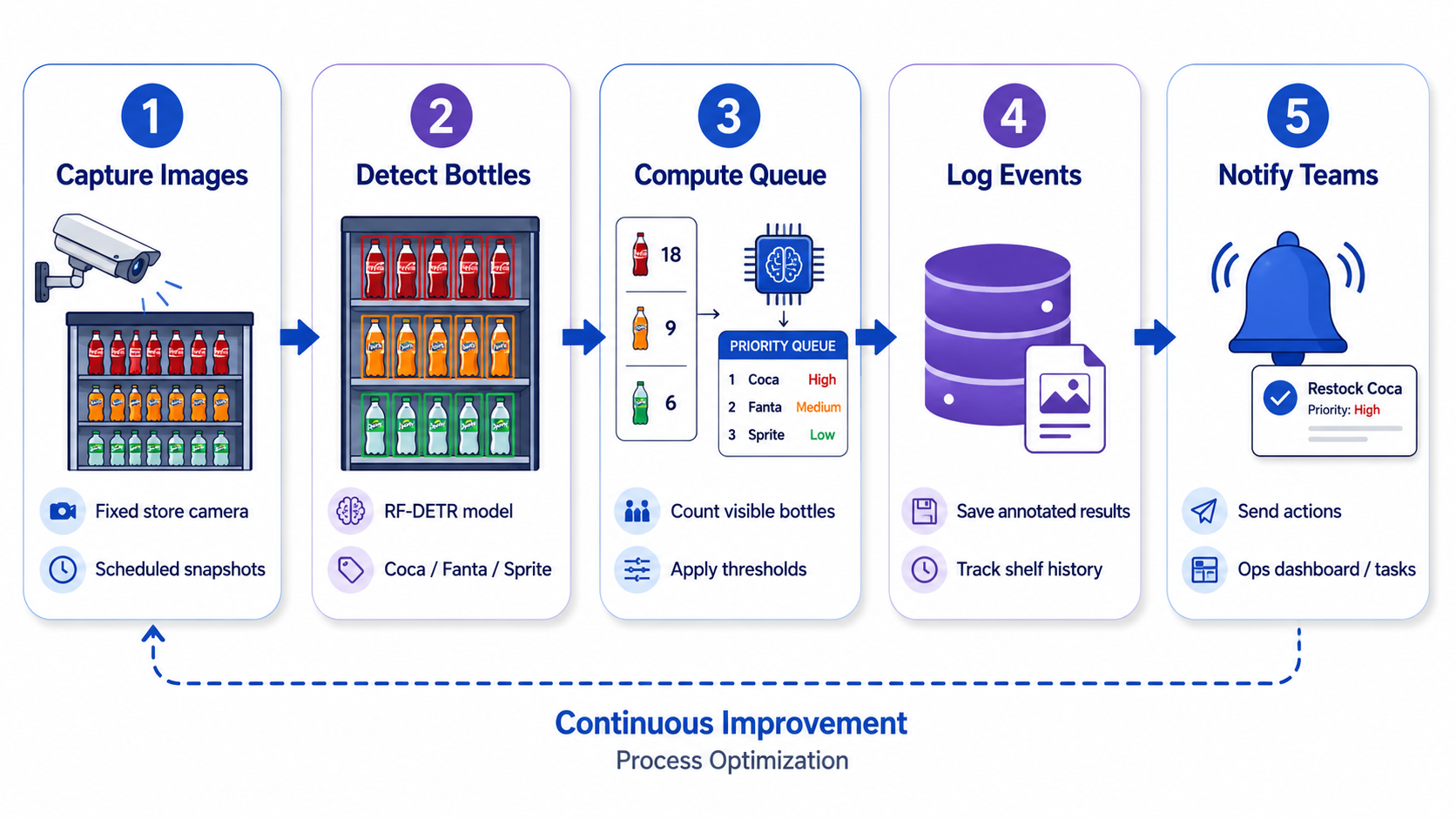
The workflow can be extended to process images from a fixed store camera at regular intervals. Each frame would pass through the same detection and replenishment logic, allowing store teams to monitor visible bottle levels without performing constant manual checks. To avoid repeated alerts for the same shortage, add a cooldown period or trigger notifications only when a product changes from an acceptable count to a below-target condition.
Replenishment events can also be stored with Roboflow Vision Events for later review. Each record could include the original image, annotated result, visible counts, configured thresholds, and recommended action. This creates a history of shelf conditions that can help teams identify products that frequently fall below target.
For broader deployment, the workflow output could be sent to Slack, a task-management system, or an internal retail operations platform. The same approach can also support multiple camera views, provided each camera has its own calibrated minimum-count thresholds.
Retail Object Detection with Roboflow Agent
Instead of wiring the blocks by hand, you can describe the goal to the Roboflow agent (“count Coca-Cola, Fanta, and Sprite on the shelf, flag anything below target, and summarize it”) and it assembles the RF-DETR detection, counting, and Gemini summary steps into a runnable Workflow for you. It can also help pick the right Universe dataset, kick off RF-DETR training, and adjust the replenishment thresholds through conversation, turning this multi-step build into a guided one.
Conclusion
Shelf availability is won or lost on in-store execution, and this workflow turns a camera into a continuous check on it. Because the detection, the replenishment logic, and the summary are separate blocks, each part is easy to tune for your own products, shelf targets, and camera placement, and the same pattern extends from one shelf to a whole store by pointing more cameras at it and giving each its own thresholds.
From here you can move the pipeline from single images to a fixed camera running at intervals, store each replenishment event for later review, and route the highest-priority action to Slack or a task system so the right shelf gets restocked before a customer finds it empty. Fork the dataset, train your model, and build the workflow to put on-shelf monitoring to work in your stores.
Further reading